
Dynamics 365 Business Central
Microsoft Dynamics 365 Business Central is a comprehensive business management solution designed to help small and mid-sized organizations manage their financial, operational, and customer-facing activities from one connected platform. It brings essential business functions together, helping organizations improve visibility, simplify processes, and make informed decisions.
Transform Your Business with Dynamics 365 Business Central
Streamline daily workflows and reduce manual tasks across finance, sales, purchasing, inventory, and operations.
Give teams connected tools and business information to complete tasks faster and focus on higher-value activities.
Bring finance, sales, supply chain, projects, and service operations together on one integrated platform.
Access connected business data to monitor activities, identify bottlenecks, and respond quickly to changing requirements.

Manage accounting, payables, receivables, budgets, cash flow, and financial transactions from one platform.
Use up-to-date financial information, reports, and KPIs to understand business performance and support better decisions.
Automate routine financial activities and reduce repetitive data entry across accounting and operational processes.
Monitor receivables, payables, and cash positions to improve financial planning and maintain better control of working capital.

Manage leads, quotations, orders, invoicing, and customer information through connected business processes.
Give teams access to relevant customer and transaction information to support more responsive interactions.
Coordinate service activities, resources, customer requests, returns, and related transactions more efficiently.
Track sales performance, customer activity, and business trends to identify opportunities and support growth.

Set up project tasks, budgets, resources, timelines, and responsibilities in a structured environment.
Monitor project expenses, resources, hours, and other costs to maintain greater financial visibility.
Allocate resources effectively and maintain visibility into availability, utilization, and project requirements.
Compare project costs, budgets, and billing information to understand performance and profitability.

Monitor stock levels, item availability, movements, and locations to maintain better inventory accuracy.
Manage suppliers, purchase orders, receipts, and related transactions while improving procurement visibility.
Coordinate warehouse activities such as receiving, picking, put-away, transfers, and order fulfillment.
Connect purchasing, inventory, sales, and fulfillment information to support faster and more informed supply chain decisions.

AI Agents in Microsoft Dynamics 365 Business Central
AI-Powered Agents for Everyday Business Workflows
Business Central brings AI-powered agents into everyday finance and operations to automate repetitive tasks, accelerate workflows, and help teams work more efficiently. Agents such as Expense Agent, Sales Order Agent, and Payables Agent can perform defined tasks while keeping users involved for review and approval when needed.
Expense Agent
Simplify expense reporting and approvals
Capture receipts, extract expense details, categorize transactions, and prepare expense reports for review. Expense Agent helps streamline the expense process while supporting company policies and approval workflows.
Sales Order Agent
Turn customer requests into sales documents
Sales Order Agent can monitor designated customer email requests, identify relevant information, check item availability, and prepare sales quotes. This helps sales teams reduce manual order processing and respond faster to customers.
Payables Agent
Automate vendor invoice processing
Payables Agent helps finance teams process incoming vendor invoices by extracting invoice information, identifying vendors, suggesting accounting classifications, and preparing draft purchase documents for review.
Custom AI Agents
Build agents for your business processes
Create customized agents with Microsoft Copilot Studio that connect with Business Central data and business processes. Custom agents can be designed to access information, perform defined actions, trigger workflows, and support specific operational requirements.
Work Smarter with Microsoft Copilot and AI Agents
Use AI-powered capabilities in Dynamics 365 Business Central to automate routine activities, improve productivity, simplify financial processes, and support better business decisions.
Automate and Simplify Work
Use Copilot and AI-powered agents to assist with repetitive sales, finance, and operational tasks. Reduce manual effort and allow employees to focus on more important business activities.
Save Time and Boost Productivity
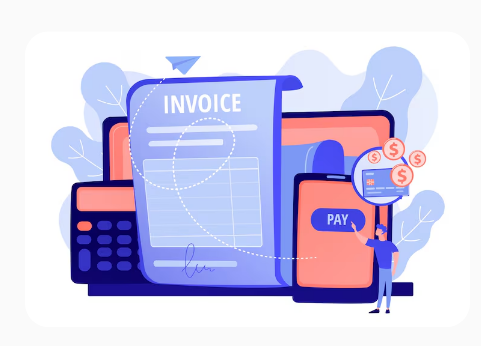
Accelerate everyday work with intelligent assistance for creating content, processing information, summarizing data, and completing routine activities within Business Central.
Transform Financial Processes
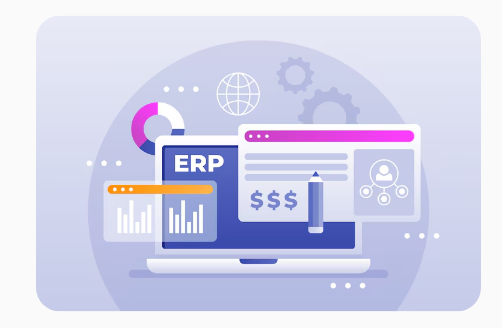
Improve finance operations with AI assistance for activities such as expense management, invoice processing, and sales order handling. Reduce repetitive work while maintaining appropriate review and approval controls.

Make Data-Driven Decisions
Turn business information into useful insights with AI-assisted analysis, summaries, reports, and recommendations. Help teams understand performance and make faster, more informed decisions.
FEATURES
Experience the Dynamics 365 Business Central Difference
Built for Business Growth
Scale with confidence
Support evolving business needs with a flexible ERP platform that brings finance, operations, supply chain, projects, and service management together. Business Central is designed to scale as organizations grow.
Work from Anywhere
Access your business on the go
Stay connected to business information through web and mobile experiences. Review data, monitor KPIs, update records, and stay productive whether you're working from the office or remotely.
Get Up and Running Faster
Simplify adoption and everyday use
Business Central is designed to be configurable and easy to use, helping organizations establish business processes without unnecessary complexity. Guided setup and role-based experiences can help users get started efficiently.
Support Global Operations
Operate across markets and regions
Manage business requirements across different countries and regions with localization, regulatory capabilities, and configurable processes. Business Central continues to expand its global coverage and compliance capabilities.
Make Better Business Decisions
Turn connected data into insights
Use integrated reporting, analytics, KPIs, Excel, and Power BI capabilities to understand business performance and make informed decisions using connected operational and financial data.
Extend to Fit Your Business
Customize with apps and extensions
Adapt Business Central to specific industry and business requirements through extensions, integrations, and applications from Microsoft's ecosystem. Organizations can add functionality without changing the core platform.
Experience the Dynamics Center Advantage
Business-Focused Expertise
We focus on understanding your business processes and requirements before recommending the right Business Central capabilities for your organization.
End-to-End Business Central Support
From initial consultation and solution planning to configuration, integration, deployment, and ongoing support, Dynamics Center provides a complete Business Central journey.
Industry-Aligned Solutions
Adapt Business Central to your industry's processes with relevant functionality, extensions, integrations, and practical workflows designed around your operational needs.
Seamless Microsoft Ecosystem
Connect Business Central with Microsoft 365, Power Platform, Copilot, and other business applications to create a more connected technology environment.
Localized Business Solutions
Configure Business Central to address regional business, tax, regulatory, and operational requirements while maintaining a consistent ERP environment.
Long-Term Partnership
Our relationship does not end after deployment. Dynamics Center supports continuous improvement, optimization, user adoption, and evolving business requirements.
