Empowering growth through Microsoft Dynamics. The smartest business consulting solution.

Dynamics Center
Dynamics Center

Arabic Language for Dynamics 365 Business Central

  • Home
  • Arabic Language for Dynamics 365 Business Central

Arabic Language for Dynamics 365 Business Central

Arabic Language for Dynamics 365 Business Central is an Arabic language pack for Microsoft Dynamics 365 Business Central. Finance, sales, purchasing and warehouse teams in Saudi Arabia and the Gulf see menus, field names, report labels and tooltips in Arabic, so new users start faster and everyday work needs less translation.

Built for: Trading companies · Contracting companies · Service companies with mixed Arabic and English teams

Watch the 1-minute tour →

  • Home
  • Arabic Language for Dynamics 365 Business Central
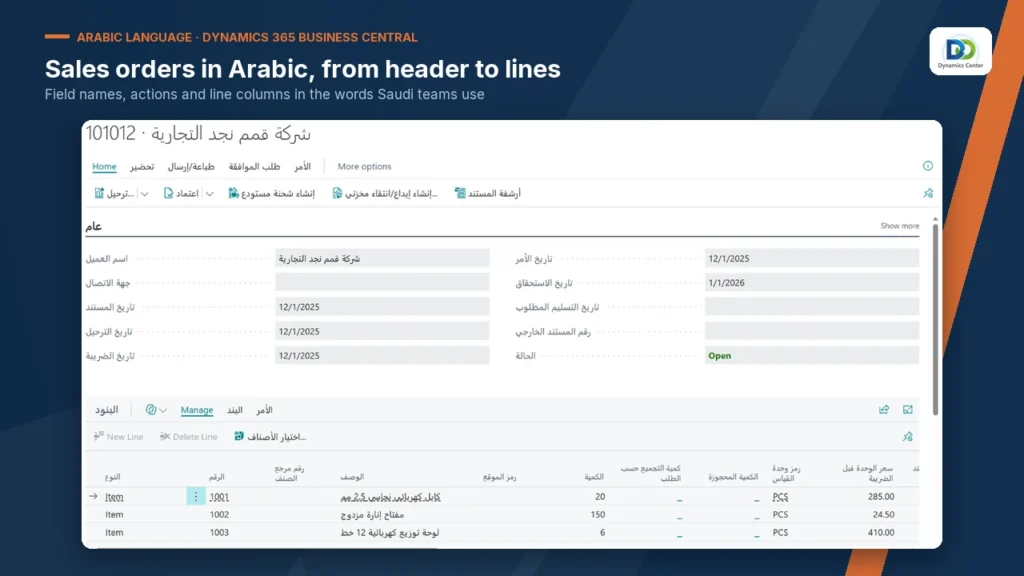
Sales order header and lines with Arabic field names in Dynamics 365 Business Central

Transform Your Business With Screens Your Team Reads First

Customer, contact and date fields on sales and purchase documents carry Arabic names, so order entry staff read each field before they type.

Post, release, shipment and archive actions appear in Arabic on the action bar, in the same place your English users already know.

Item number, description, quantity, unit of measure and unit price columns are named in Arabic on every document line.

Customer names and item descriptions show exactly as you enter them, in Arabic or English. The app changes screen text only.
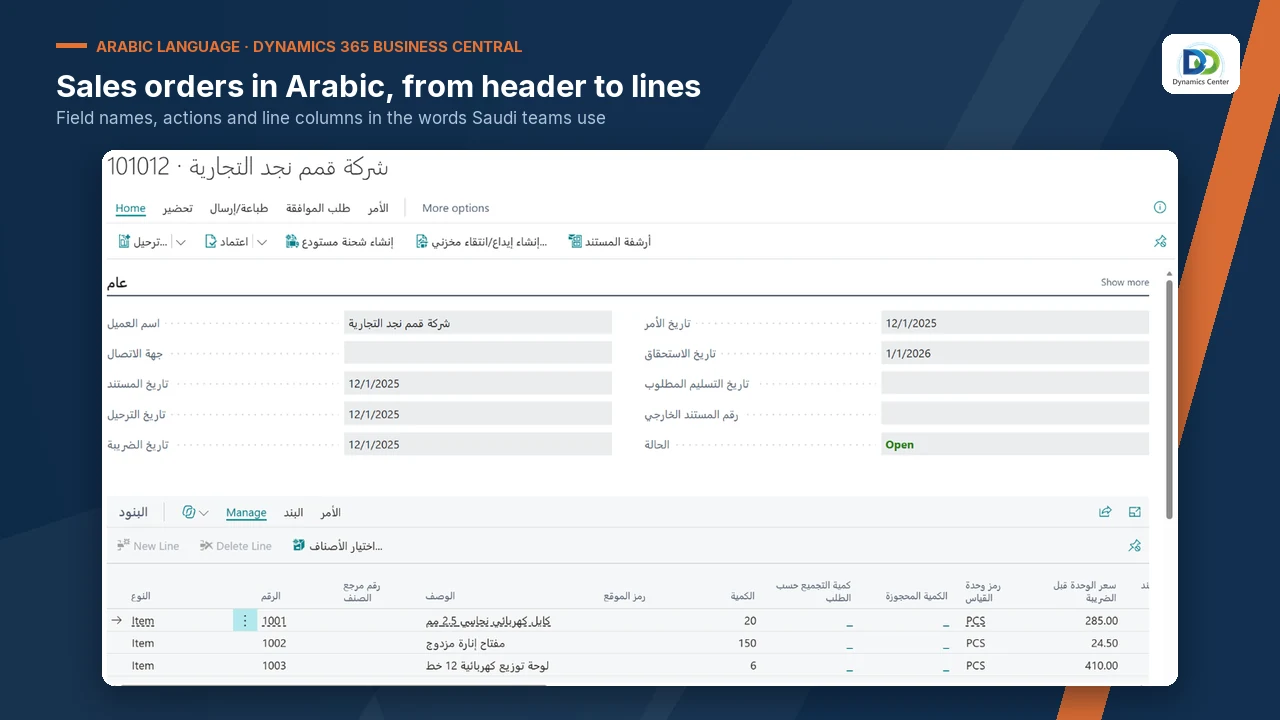
Sales order header and lines with Arabic field names in Dynamics 365 Business Central

Number, name, balance, credit limit and salesperson fields are named in Arabic across the customer card and its sections.

Point at a field name and the tooltip explains in Arabic what the field does, so staff learn while they work.

Page menus such as prices and discounts, new document and approval requests are in Arabic on customer and item pages.

A controlled term list keeps each accounting term to one Arabic word, so the same field reads the same on every page.
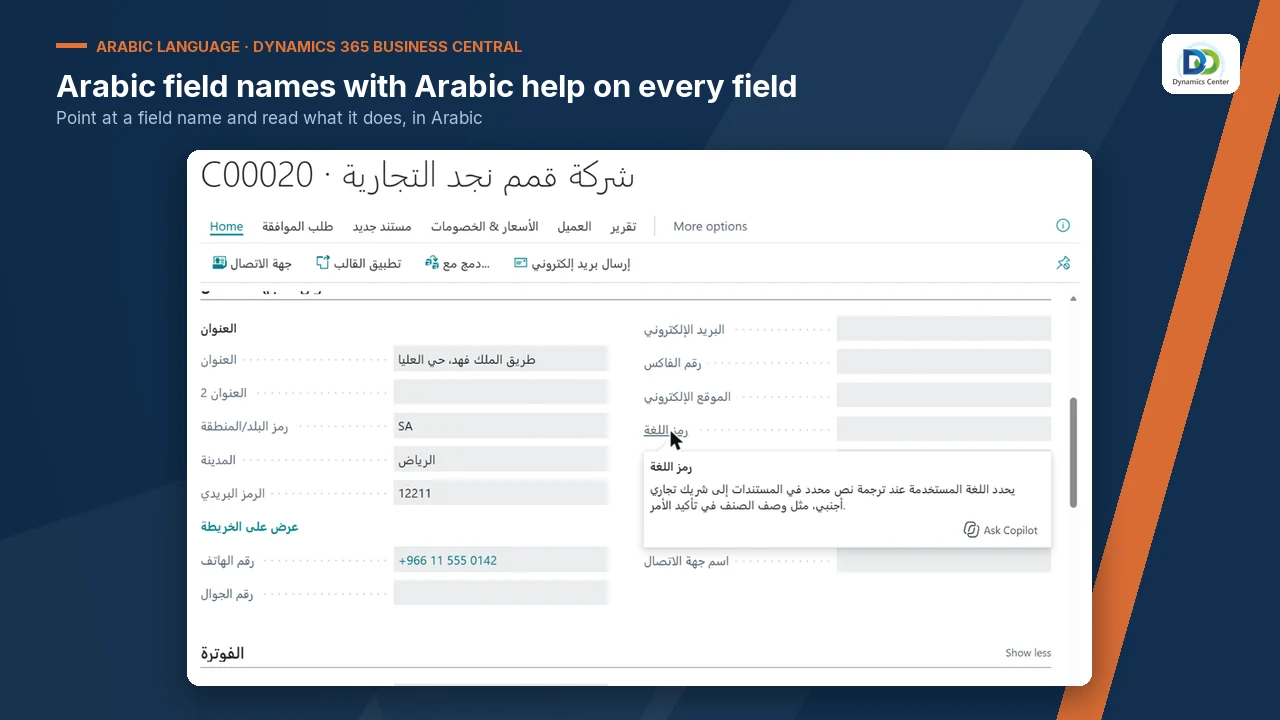
Customer card with an Arabic tooltip from the Arabic language pack

Description, type, base unit of measure and item category fields carry Arabic names for purchasing and warehouse staff.

Shelf number, stock-out warning, net weight and quantity fields are grouped under an Arabic section name.

Copy item, adjust inventory and apply template are available in Arabic from the item card.

Drop-down values such as item type stay in English, so support teams and head office read the same values.
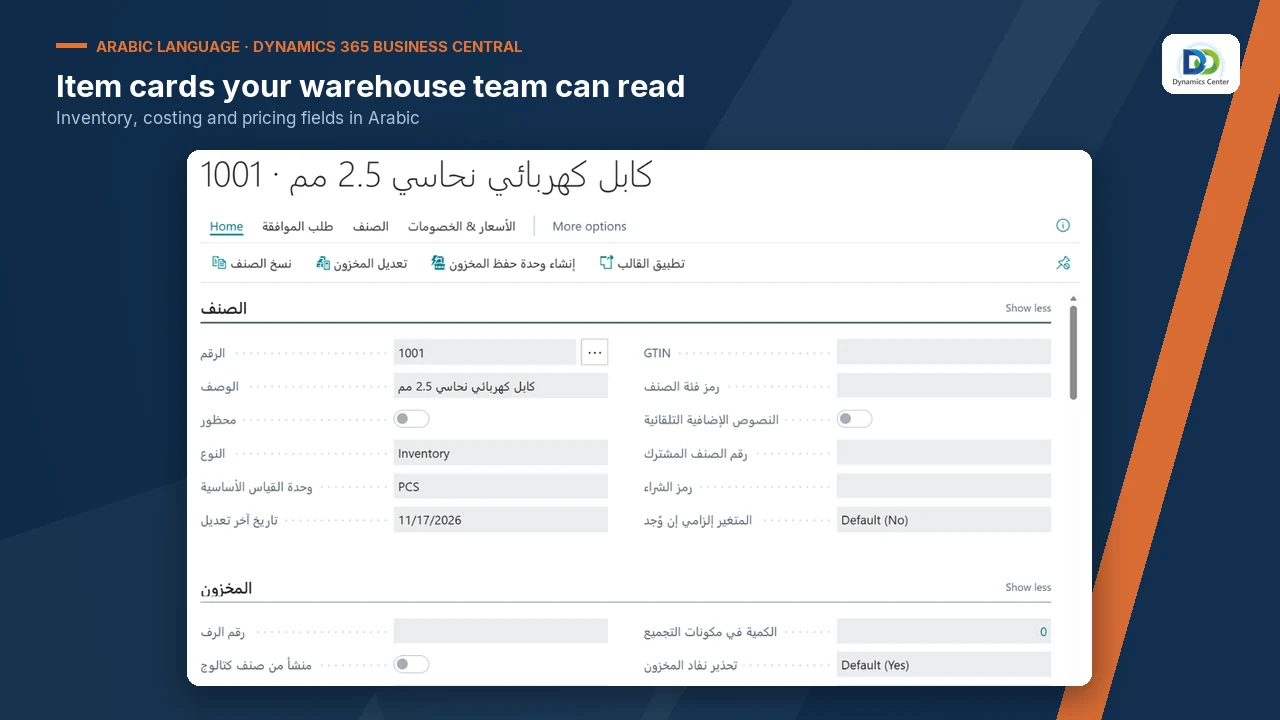
Item card with Arabic inventory fields in Dynamics 365 Business Central

Account number, name, net change and balance columns are named in Arabic, with account, balance and report menus in Arabic.

When a user opens a page for the first time, a teaching tip introduces the page in Arabic.

General journal columns, batch name and posting actions are in Arabic for the accountants who post every day.

Report names and the fields on report request pages are translated, so users find and filter reports in Arabic.
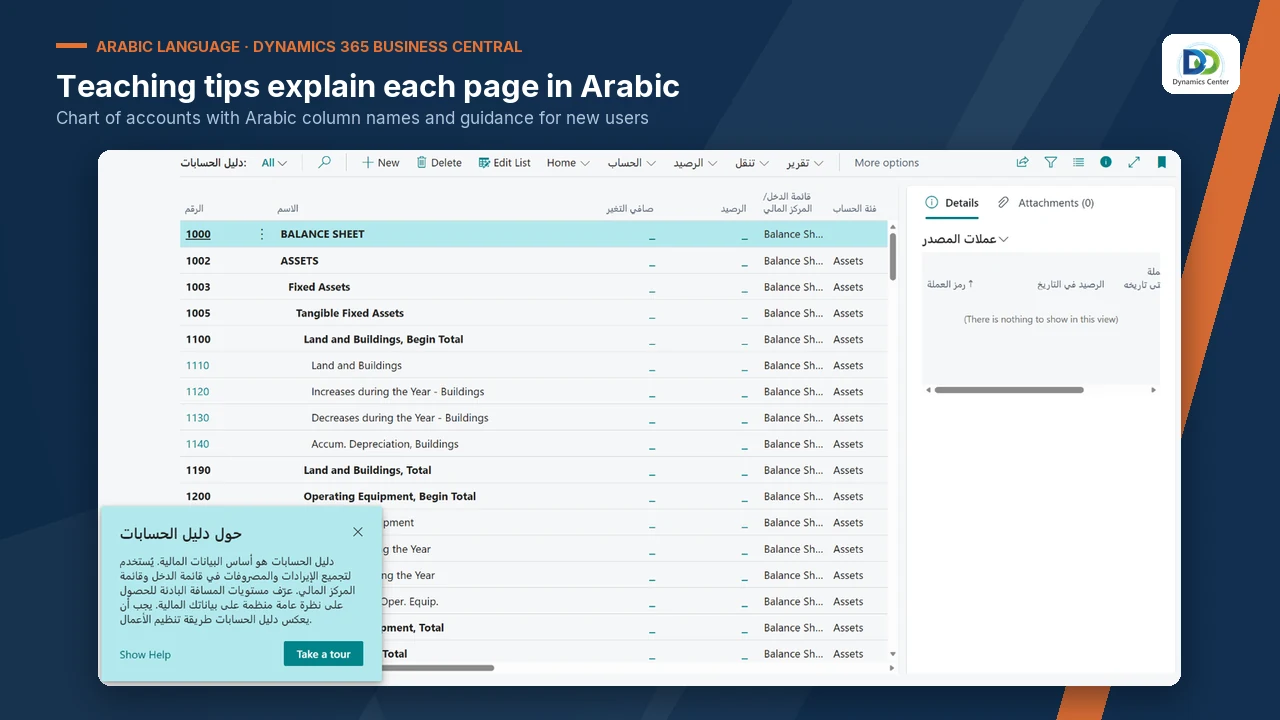
Chart of accounts with Arabic column names and a teaching tip

Each user opens My Settings, chooses English (South Africa) as the language and signs in again to see the Arabic text.

Users who keep English see no change. Arabic and English users work in the same company on the same data.

The app has no setup pages and no tables. Installing it takes minutes and uninstalling returns every screen to English.

Install in a sandbox, let one user from each department work in Arabic, then install in production.
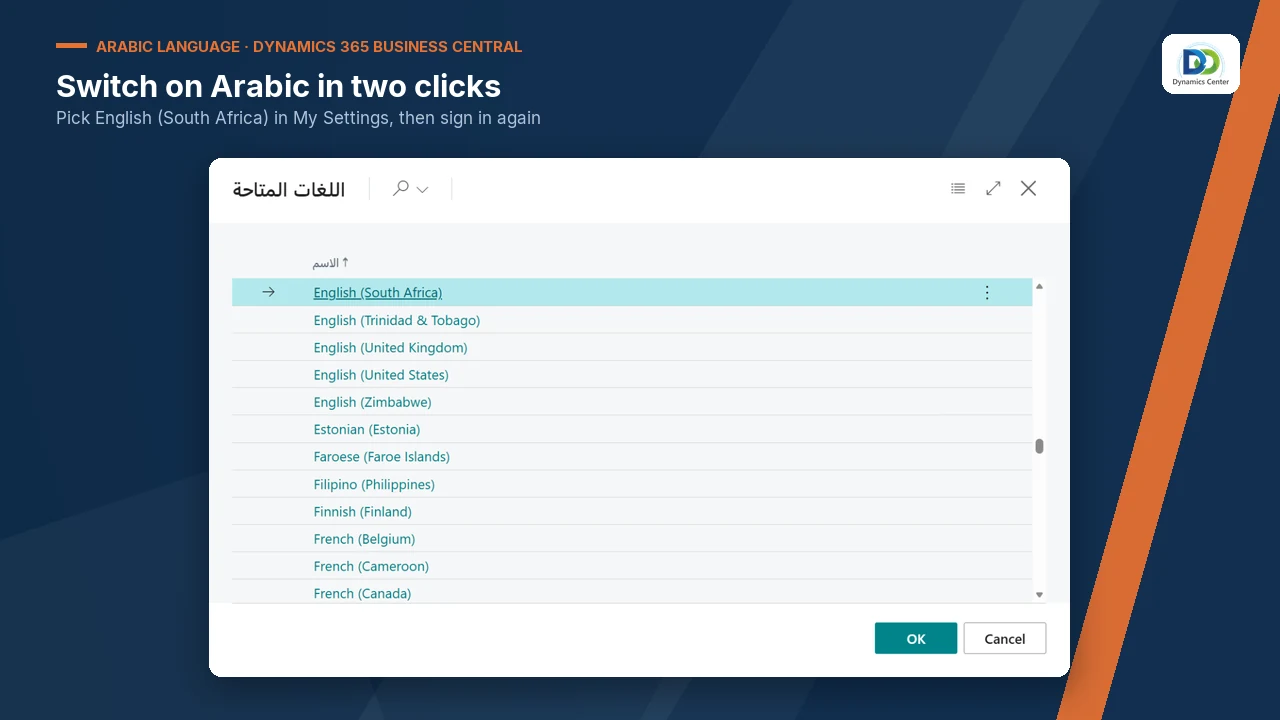
Language list in My Settings where users switch on the Arabic interface

BEFORE AND AFTER

What Changes for Your Team

Without the appWith Arabic Language for Dynamics 365 Business Central
Every menu, field name and tooltip is in English.Menus, field names, report labels and tooltips are in Arabic for the users who choose it.
New starters learn the system and English terms at the same time.New starters read field names and tooltips in Arabic from the first day.
Staff ask a colleague what a field means.The tooltip explains each field in Arabic on the page.
Arabic-speaking and English-speaking staff need separate guidance.Each user chooses a language; everyone works in one company on the same data.
A language project means custom development.A translation-only app: no tables, no code, no change to data or posting.

FEATURES

Experience the Arabic Language Difference

01

Arabic across the standard modules

More than 110,000 labels

Screen and report labels are translated across finance, sales, purchasing, inventory, warehouse, projects, fixed assets, manufacturing and service, so users move between modules without switching back to English.

02

Help in the user’s language

Tooltips and teaching tips

Every translated field carries its tooltip in Arabic, and teaching tips introduce pages to first-time users. Staff learn the system where they work, without a separate manual.

03

Wording for Saudi business

One word per term

A controlled term list fixes one Arabic word for each accounting term, including VAT and financial statement names used in Saudi Arabia, and an automated term audit checks it.

04

Mixed teams, one system

A choice per user

Each user picks the language in My Settings. English users see no change, and both groups share the same company, documents and data.

05

System text in English

Clear for support

Drop-down values, messages and error texts stay in English, and so do built-in buttons such as New and OK. Support teams read the same words in every environment.

06

Nothing to configure

Translation only

The app holds text and nothing else: no setup pages, no tables and no code. It does not change posting, numbering or data, and it can be uninstalled at any time.

OUR PROCESS

How It Works

01

Book a demonstration

02

Install the app in your sandbox

03

Each Arabic user chooses the language

04

Check your pages and printed documents

05

Install in production

Please note: page layout stays left-to-right. Add-on apps, from Microsoft or other publishers, keep their own language. Do not install the app where English (South Africa) is used as a real language. The translation is machine-assisted.

Why Dynamics Center

  • Built for Saudi wording. The term list was built for Saudi accounting and tax usage, with one Arabic word for each term on every page.
  • One team for language and compliance. The team that delivers ZATCA e-invoicing on Dynamics 365 Business Central also maintains the Arabic text.
  • Wording you can shape. Tell us about any word that reads wrong in your business and we correct it in the next update.

Dynamics Center publishes 14 apps on Microsoft Marketplace, including e-invoicing and payroll apps for Saudi Arabia. The Arabic language pack comes from the same team. See the full list on our Microsoft Marketplace apps page.

VIDEO

See Business Central in Arabic in One Minute

Watch the full demo (3 minutes) →
Read the transcript

Business Central in Arabic for teams in Saudi Arabia and the Gulf. Menus, field names and tooltips in Arabic. A sales order with Arabic field names, actions and line columns. The customer card: actions and fields in Arabic. Point at a field name to read its Arabic tooltip. The item card: item and inventory fields in Arabic. Chart of accounts with Arabic column names and a teaching tip. In My Settings, choose English (South Africa) to see Arabic. A faster start for Arabic-speaking teams, with no change to your data. Book a demonstration with Dynamics Center.

Frequently Asked Questions

Does Microsoft Dynamics 365 Business Central support Arabic?

Microsoft’s list of supported languages for Business Central did not include Arabic when we last checked. This app adds Arabic screen text as a partner translation. Last checked: 17 November 2026.

How do users switch to the Arabic interface?

Each user opens My Settings, chooses English (South Africa) as the language and signs in again. Users who keep their current language see no change.

Why is the language called English (South Africa)?

Business Central offers a fixed list of languages, and the Arabic text is carried under English (South Africa). For that reason, do not install the app where English (South Africa) is used as a real language.

Does the screen change to right-to-left?

No. Page layout stays left-to-right. Arabic text is shown in the existing layout.

What stays in English?

Built-in buttons such as New, Delete and OK, drop-down values, messages and error texts stay in English. Add-on apps, from Microsoft or other publishers, keep their own language.

Does the app translate my data or my printed documents?

It does not change your data: names and descriptions show as you enter them. Report labels are translated. The language of a printed document follows the Business Central language settings of the company and the customer, so test your main documents in a sandbox first.

Does it work with Business Central online?

Yes. The app is built and tested for Business Central online and supports the Essentials and Premium editions.

How is the app licensed?

The app is licensed by Dynamics Center under our licence terms. Each user needs a standard Microsoft Dynamics 365 Business Central licence; the app needs no additional Microsoft licence. Contact us for the terms for your organisation.

How long does implementation take?

The app installs in minutes and has nothing to configure. We recommend a sandbox test with one user from each department before you install it in production.

How was the translation made, and how do I report a wording issue?

The translation is machine-assisted and held to a controlled term list. Send us any word that reads wrong and we correct it in the next update.

See Business Central in Arabic

Book a demonstration and we will show the Arabic interface on a sample company, then install the app in your sandbox so your finance, sales and warehouse teams can try it on their own pages.

Landline +971 4 254 0212
Office

2405 Clover Bay Tower, Business Bay, Dubai, United Arab Emirates

Office Hours

Monday to Friday, 08:00–18:00 Gulf Standard Time

×

    Get in Touch for Pricing

    LinkedIn WhatsApp Chat info@dynamicscenter.com
    ×