Point of Sale for Dynamics 365 Business Central
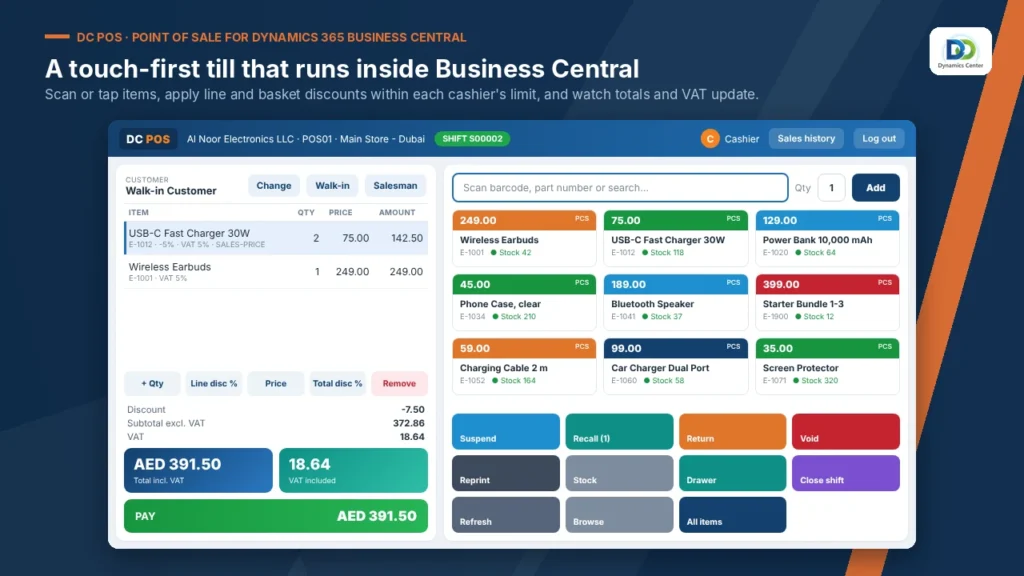
DC POS brings a fast, touch-friendly point of sale into Microsoft Dynamics 365 Business Central. Cashiers sell, take payment and handle returns on a till that runs inside Business Central, and every receipt posts straight to your books.
Built for: Retailers and showrooms · Electronics and mobile phone stores · Distributors with trade counters
- Home
- Point of Sale for Dynamics 365 Business Central
Transform Your Business with Point of Sale
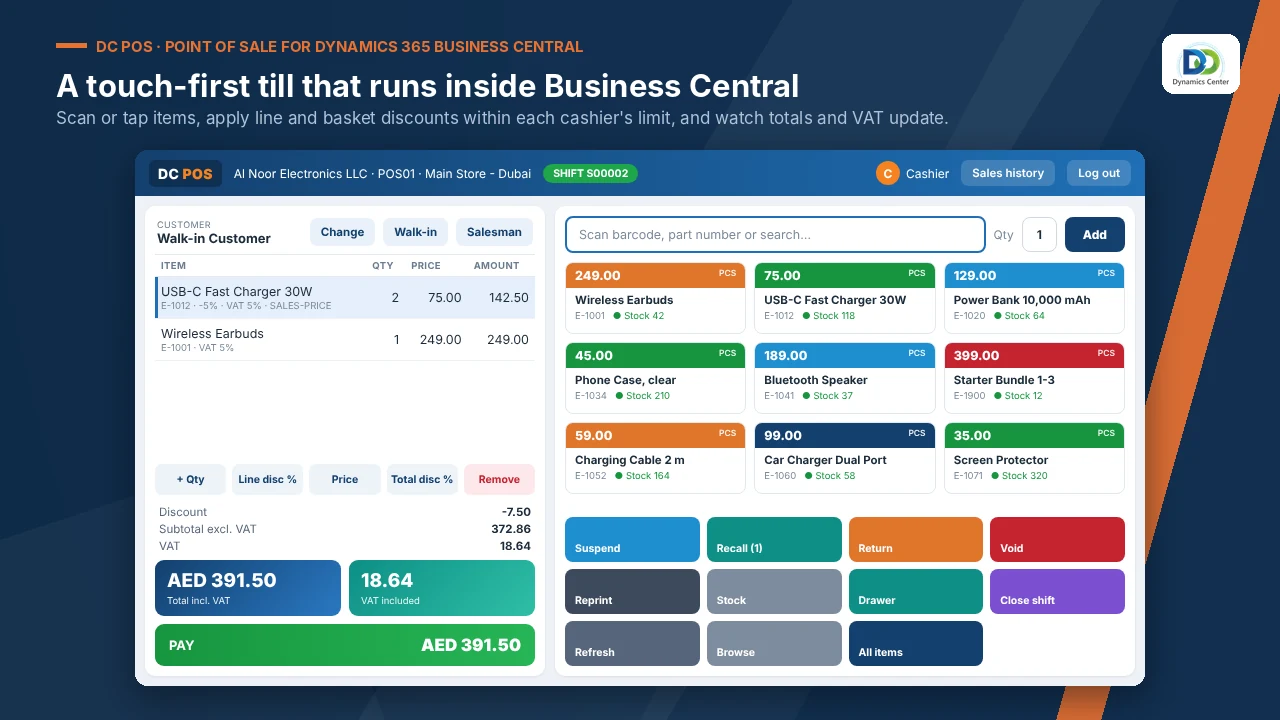
Barcodes, search or item tiles.
Split tender across eight methods.
Float, count and Z report.
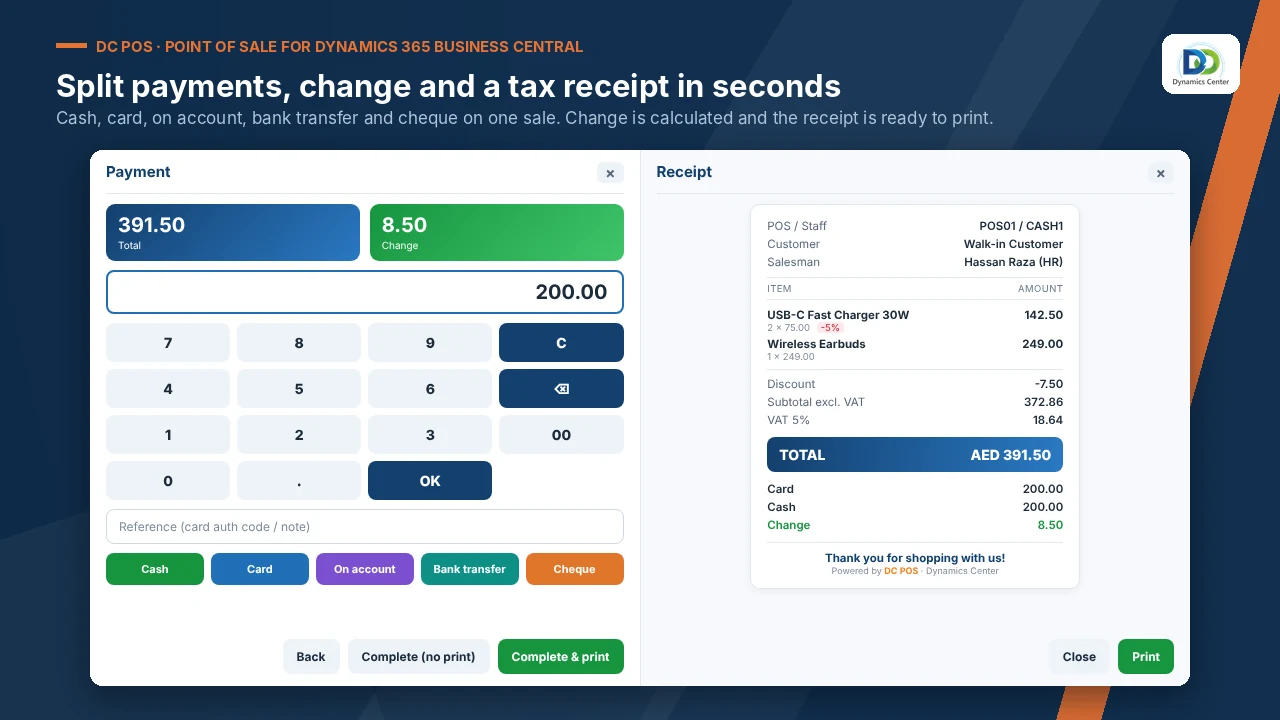
PIN login and discount limits.
From the original receipt.
Transfers at the till.
Repairs and deliveries.
English, Arabic or both, on WhatsApp.
Z report and Power BI.
FEATURES
Experience the Point of Sale Difference
One system
No nightly sync between till and books.
Before: A separate till system synced every night.
Live prices and stock
The till reads Business Central.
Before: Prices and stock drift apart.
Cash you can trust
Counted shifts with a manager check.
Before: Cash differences found days later.
Returns in one step
At the price paid, with reason codes.
Before: Returns done by hand.
Sales never stop
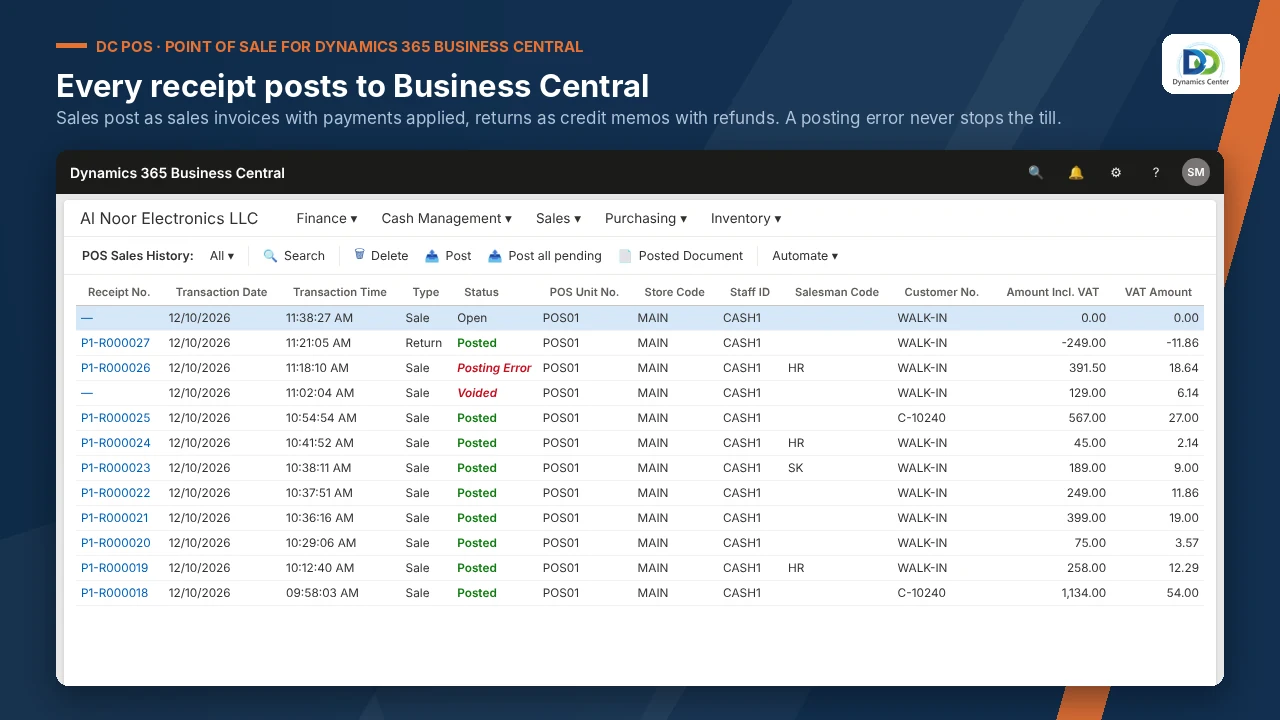
A receipt that cannot post is saved and re-posted.
Before: Sales lost when the link is down.
Loyalty built in
A club with points.
Before: Loyalty on a separate card system.
OUR PROCESS
How It Works
Book a demonstration
List your stores, tills and payment methods
Dynamics Center sets up the tills and staff
Train cashiers and open the first shift
Dynamics Center supports you after go-live
The Dynamics Center Advantage
- Tills, staff and payment methods set up store by store
- A full test day before the first live shift
- Business Central and the till supported by the same team
Frequently Asked Questions
Does Point of Sale work with Dynamics 365 Business Central?
Yes. It runs inside Microsoft Dynamics 365 Business Central online; there is no separate system to install or sync.
How is it licensed?
Licensing is quoted after a short scoping call, based on your companies and users, together with installation, configuration and training.
How long does implementation take?
It depends on the number of companies and the data to load. Dynamics Center gives you a dated plan after the scoping call.
What do we need before we start?
Microsoft Dynamics 365 Business Central online, Essentials or Premium; A Business Central user who can install extensions and assign permission sets; Receipt printer and barcode scanner for each till.
What data do we need to prepare?
Item barcodes and prices; Payment methods and their accounts; Staff list with roles.
How does it post to the general ledger?
Each receipt posts sales, VAT, payment and stock in Business Central. If a receipt cannot post, the sale is saved, flagged and re-posted from the back office.
Can we see it before we buy?
Yes. Book a demonstration and Dynamics Center will show it on data close to yours.
Who supports it?
Dynamics Center, by email and phone, Monday to Friday, 08:00–18:00 Gulf Standard Time.
Does the till need its own server?
No. The till runs inside Business Central and reads items, prices, customers and stock live.
See Point of Sale on your own data
Book a demonstration and we will show you how it works with your companies, your rules and your users, and what it takes to go live.
2405, Clover Bay Tower, Business Bay, Dubai, UAE
Monday to Friday, 08:00–18:00 Gulf Standard Time