Purchase Requisition and Approvals for Dynamics 365 Business Central
Purchase Requisition and Approvals for Microsoft Dynamics 365 Business Central moves the request, the budget check and the approval into Business Central, before a purchase order exists.
Built for: Procurement teams · Department heads · Finance controllers
- Home
- Purchase Requisition and Approvals for Dynamics 365 Business Central
Transform Your Business with Purchase Requisition and Approvals
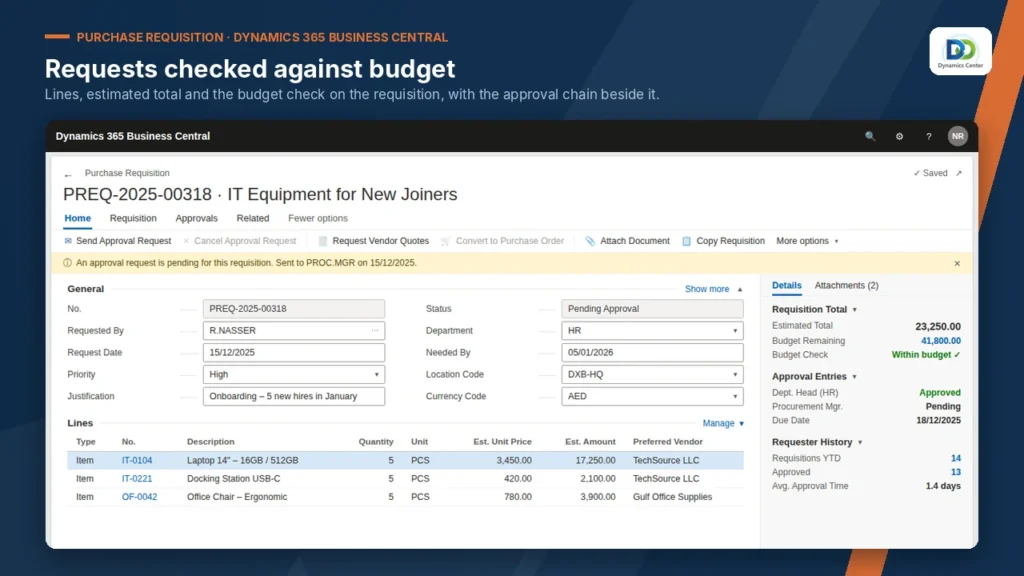
Items, services or fixed assets.
Remaining department budget shown.
Limits, delegation and comments.
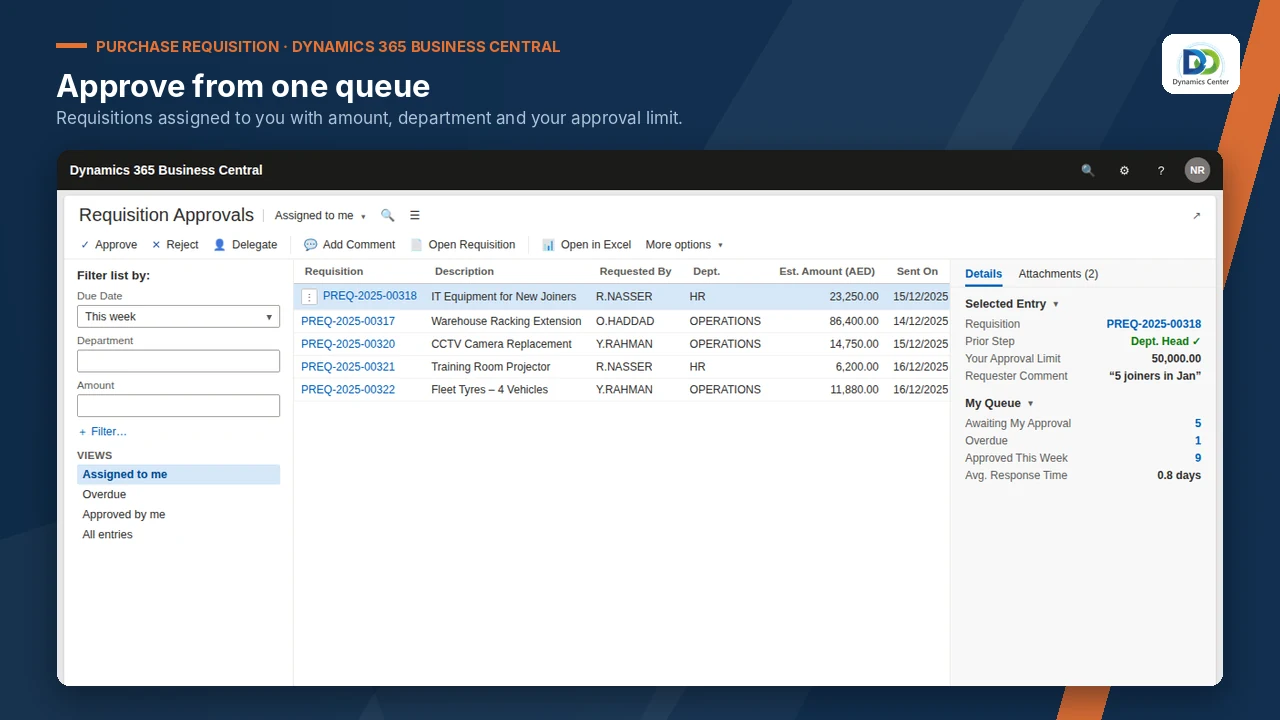
Pending and overdue in one place.
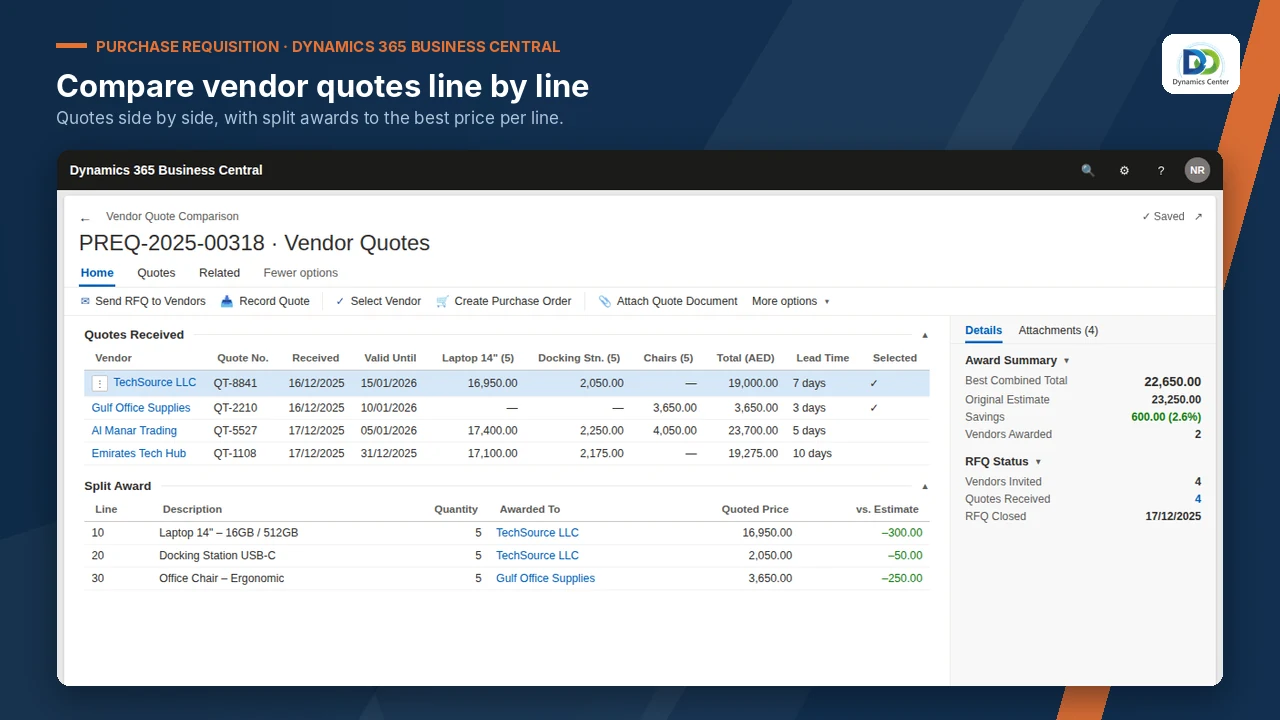
Invite, record and compare.
Award by line.
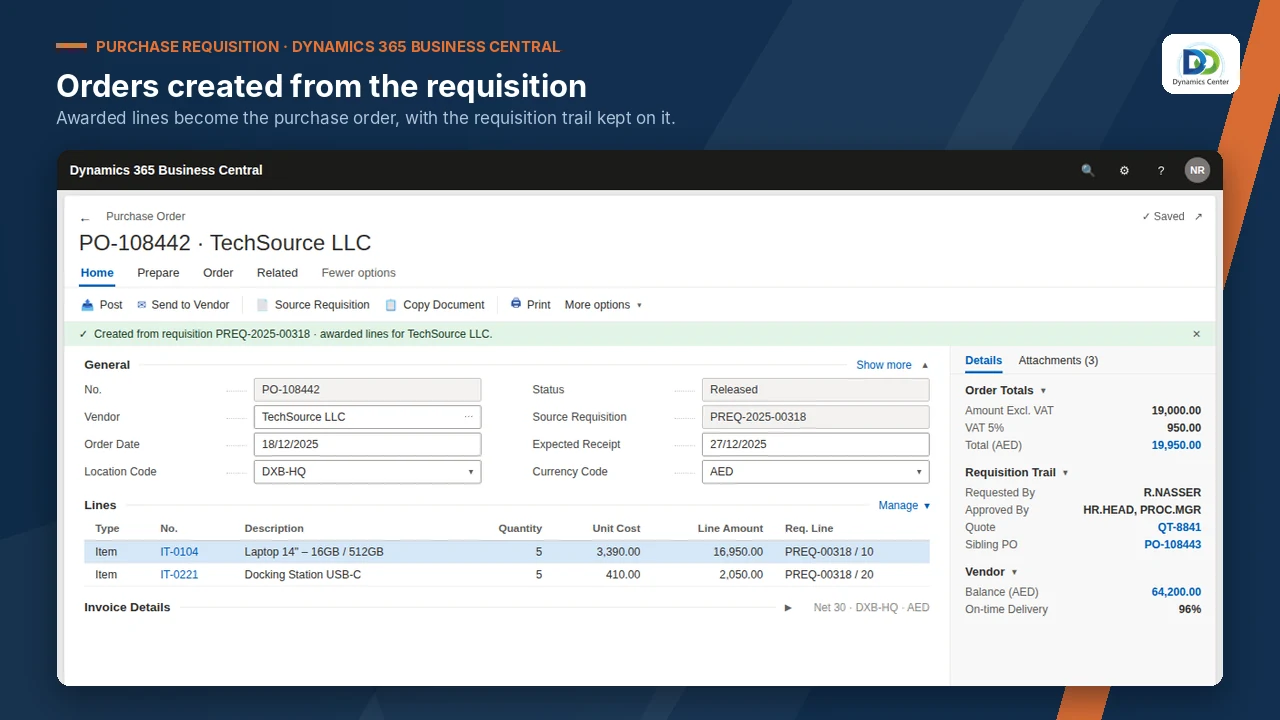
One per awarded vendor.
Open requests and turnaround.
By department, with savings.
FEATURES
Experience the Purchase Requisition and Approvals Difference
No email requests
Every request structured in Business Central.
Before: Requests by email and chat.
Budgets respected
Approvers see what is left.
Before: Budgets checked after the order.
Right approver
Stages with limits and delegation.
Before: Approval by whoever replies.
Better prices
Quotes compared before award.
Before: One quote, or none.
Faster orders
Approved requests become orders in one click.
Before: Orders typed from the request.
Full trail
Who approved what, kept together.
Before: No record of who approved what.
OUR PROCESS
How It Works
Book a demonstration
Agree departments, budgets and approval limits
Dynamics Center configures the approval stages
Train requesters and approvers, then go live
Dynamics Center supports you after go-live
The Dynamics Center Advantage
- Approval stages and limits set up from your delegation of authority
- Requesters and approvers trained in English or Arabic
- Business Central procurement and finance supported by the same team
Frequently Asked Questions
Does Purchase Requisition and Approvals work with Dynamics 365 Business Central?
Yes. It runs inside Microsoft Dynamics 365 Business Central online; there is no separate system to install or sync.
How is it licensed?
Licensing is quoted after a short scoping call, based on your companies and users, together with installation, configuration and training.
How long does implementation take?
It depends on the number of companies and the data to load. Dynamics Center gives you a dated plan after the scoping call.
What do we need before we start?
Microsoft Dynamics 365 Business Central online, Essentials or Premium; A Business Central user who can install extensions and assign permission sets.
What data do we need to prepare?
Department budgets; Approval matrix with limits; Vendor list and categories.
How does it post to the general ledger?
Nothing posts at requisition. Approved requisitions become purchase orders, one per awarded vendor, and follow your normal receiving and invoicing.
Can we see it before we buy?
Yes. Book a demonstration and Dynamics Center will show it on data close to yours.
Who supports it?
Dynamics Center, by email and phone, Monday to Friday, 08:00–18:00 Gulf Standard Time.
Does it replace Business Central purchase orders?
No. It works before the order: approved requisitions create standard purchase orders.
See Purchase Requisition and Approvals on your own data
Book a demonstration and we will show you how it works with your companies, your rules and your users, and what it takes to go live.
2405, Clover Bay Tower, Business Bay, Dubai, UAE
Monday to Friday, 08:00–18:00 Gulf Standard Time