

Post Dated Cheque Management for Dynamics 365 Business Central
Post Dated Cheque Management for Microsoft Dynamics 365 Business Central tracks every customer and vendor cheque as both a ledger entry and a piece of paper.
Built for: Treasury and cash teams · Credit controllers · Finance managers
- Home
- Post Dated Cheque Management for Dynamics 365 Business Central
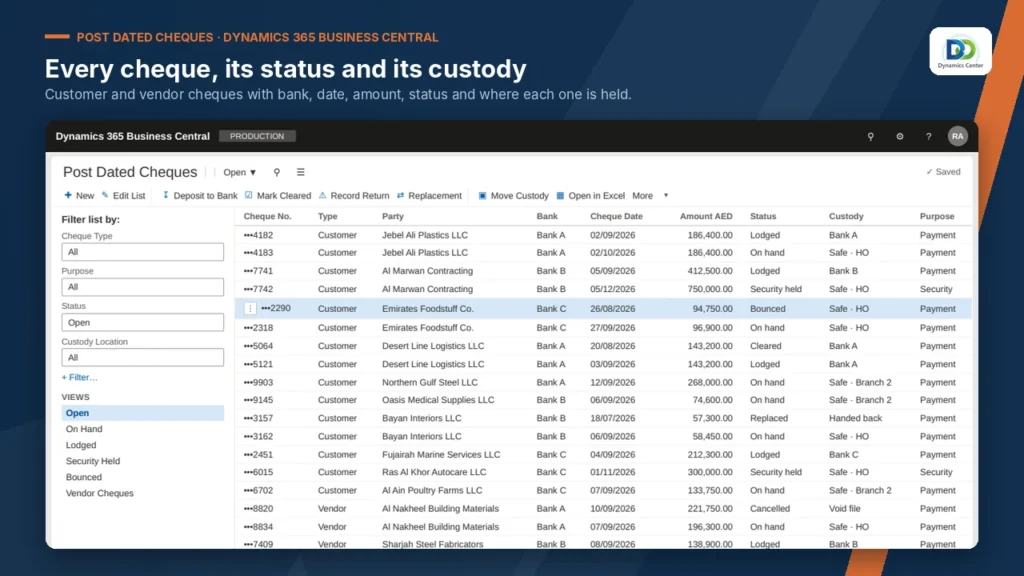
Transform Your Business with Post Dated Cheque Management
Entry to clearing, return and reversal.
Location and holder for every cheque.
Safe, branch, bank and back.
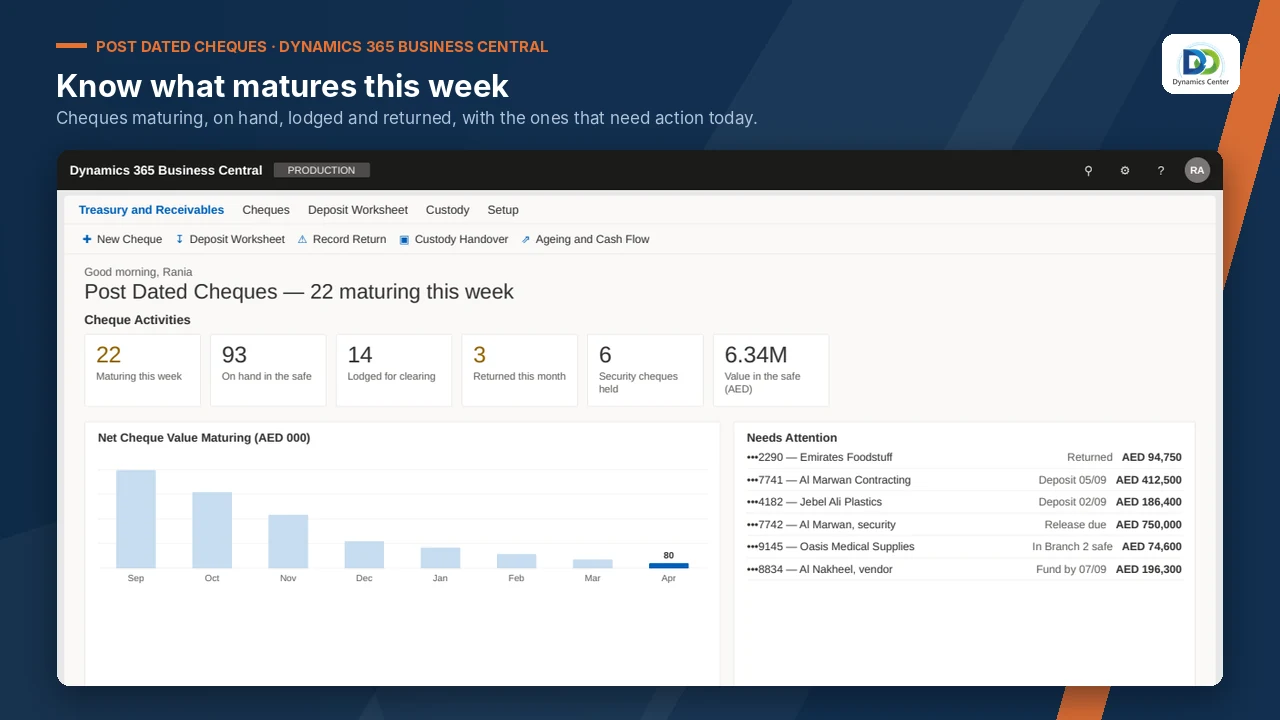
Kept apart and blocked from lodgement.
Ageing follows the chain.
Posted and recovered per party.
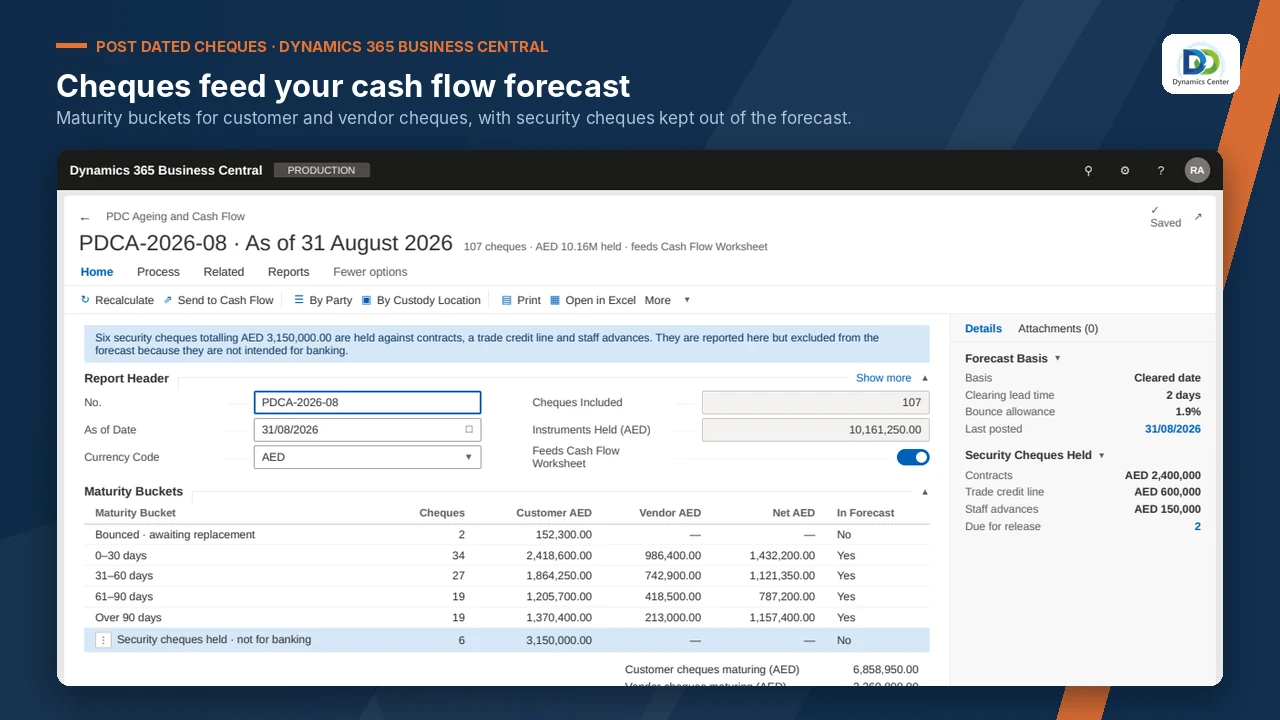
Grouped by bank with value dates.
By date and party.
Feeds the cash flow worksheet.
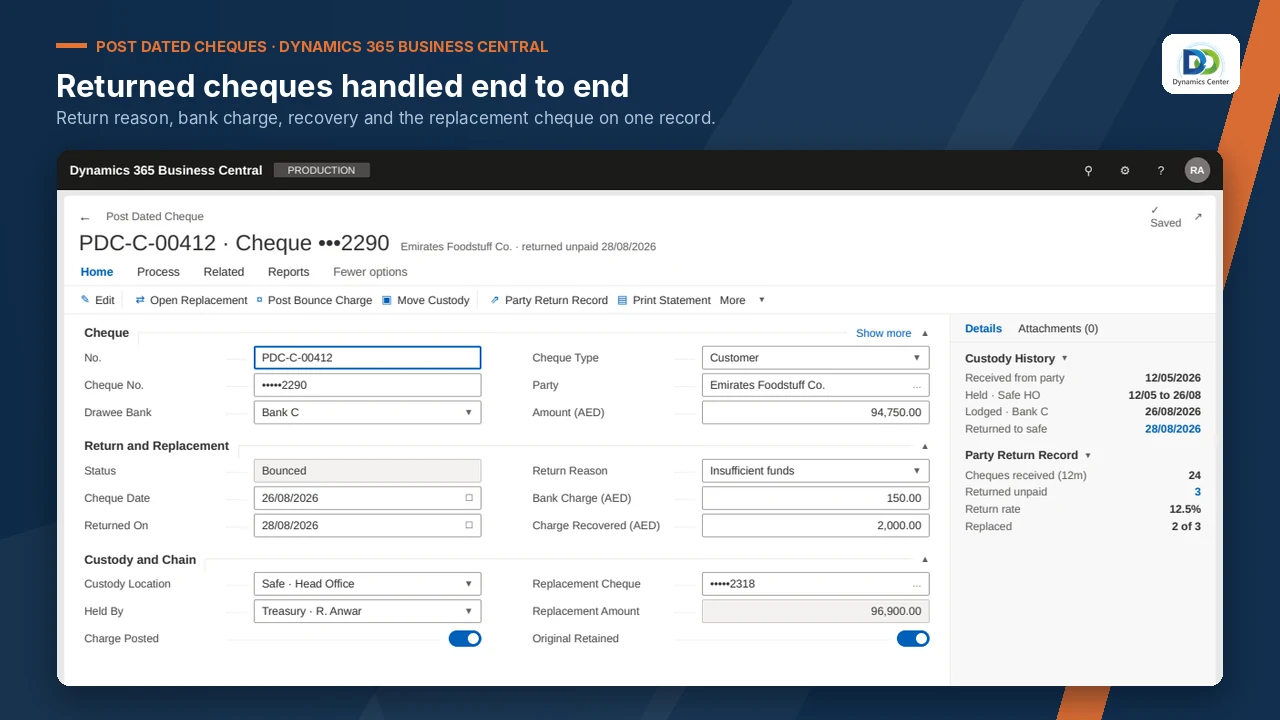
FEATURES
Experience the Post Dated Cheque Management Difference
Know where the paper is
Custody and every movement logged.
Before: Walk to the safe to find a cheque.
Honest forecast
Security cheques left out of cash flow.
Before: Security cheques counted in the forecast.
Disputes followed
Replacements stay linked to the original.
Before: Replacements entered with no link.
Charges recovered
Bank charges visible per party.
Before: Bounce charges never recovered.
Planned bank runs
Cheques due grouped by bank account.
Before: Bank runs planned on paper.
Clean audits
The register and the safe agree.
Before: The register balances but the safe does not.
OUR PROCESS
How It Works
Book a demonstration
Agree your cheque accounts and custody locations
Dynamics Center configures the posting setup
Load open cheques and go live
Dynamics Center supports you after go-live
The Dynamics Center Advantage
- Posting accounts and custody locations configured to match your safe and banks
- Opening cheques loaded and agreed to the physical count
- Business Central finance and treasury supported by the same team
Frequently Asked Questions
Does Post Dated Cheque Management work with Dynamics 365 Business Central?
Yes. It runs inside Microsoft Dynamics 365 Business Central online; there is no separate system to install or sync.
How is it licensed?
Licensing is quoted after a short scoping call, based on your companies and users, together with installation, configuration and training.
How long does implementation take?
It depends on the number of companies and the data to load. Dynamics Center gives you a dated plan after the scoping call.
What do we need before we start?
Microsoft Dynamics 365 Business Central online, Essentials or Premium; A Business Central user who can install extensions and assign permission sets.
What data do we need to prepare?
Open customer and vendor cheques; Bank accounts and clearing days; Custody locations and holders.
How does it post to the general ledger?
Each lifecycle stage posts to the accounts you configure. Security cheques do not post to cash and stay out of the forecast until they are converted.
Can we see it before we buy?
Yes. Book a demonstration and Dynamics Center will show it on data close to yours.
Who supports it?
Dynamics Center, by email and phone, Monday to Friday, 08:00–18:00 Gulf Standard Time.
Are security cheques counted in the cash forecast?
No. Security cheques are flagged by purpose, blocked from lodgement and left out of the cash flow forecast.
See Post Dated Cheque Management on your own data
Book a demonstration and we will show you how it works with your companies, your rules and your users, and what it takes to go live.
2405, Clover Bay Tower, Business Bay, Dubai, UAE
Monday to Friday, 08:00–18:00 Gulf Standard Time