
GCC Payroll for Dynamics 365 Business Central
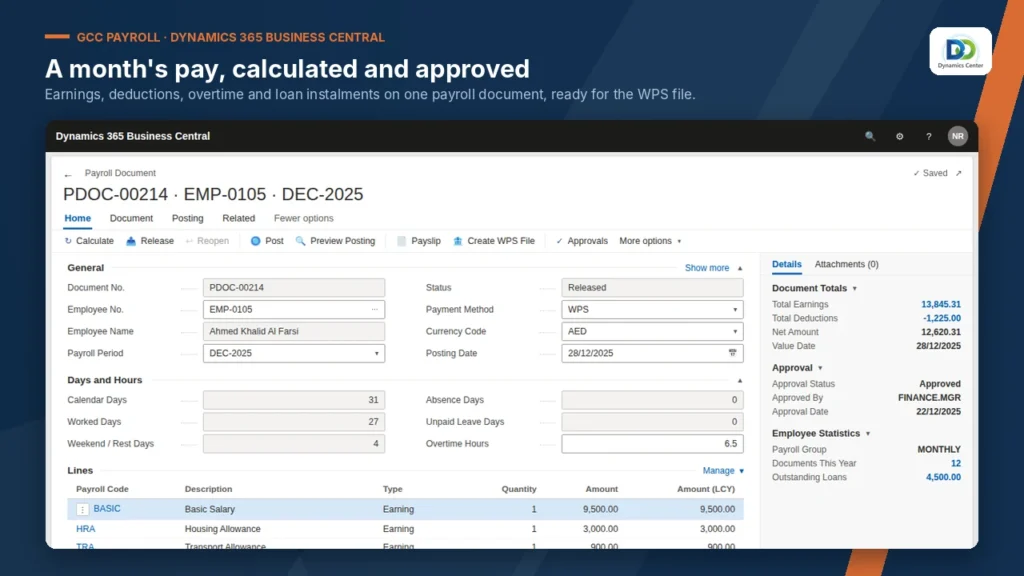
Payroll Solution for Microsoft Dynamics 365 Business Central runs your monthly payroll inside Business Central, from salary calculation to payslips and the salary file for your bank.
Built for: HR and payroll officers · Finance managers · Businesses with staff in several countries
- Home
- GCC Payroll for Dynamics 365 Business Central
Transform Your Business with GCC Payroll
Customisable payroll components.
Leave management and balances.
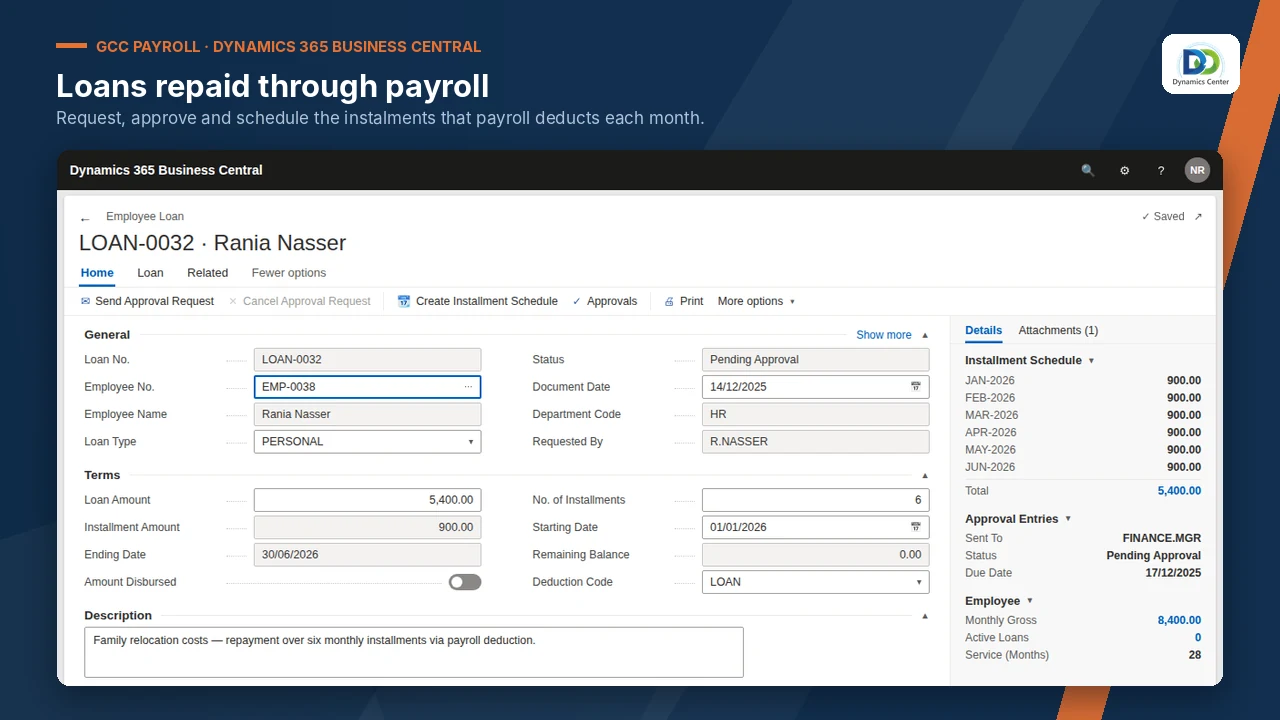
Deducted from pay automatically.
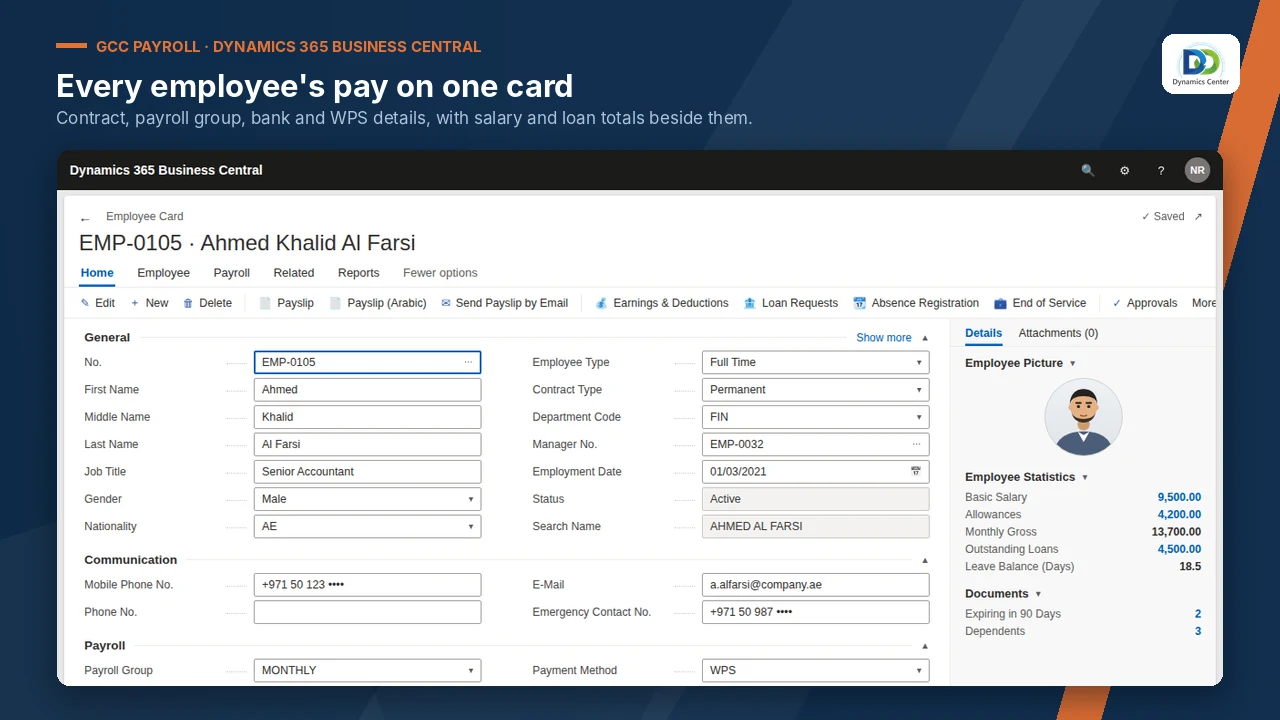
Accruals calculated for you.
Annual provisions calculated.
Generated by the system.
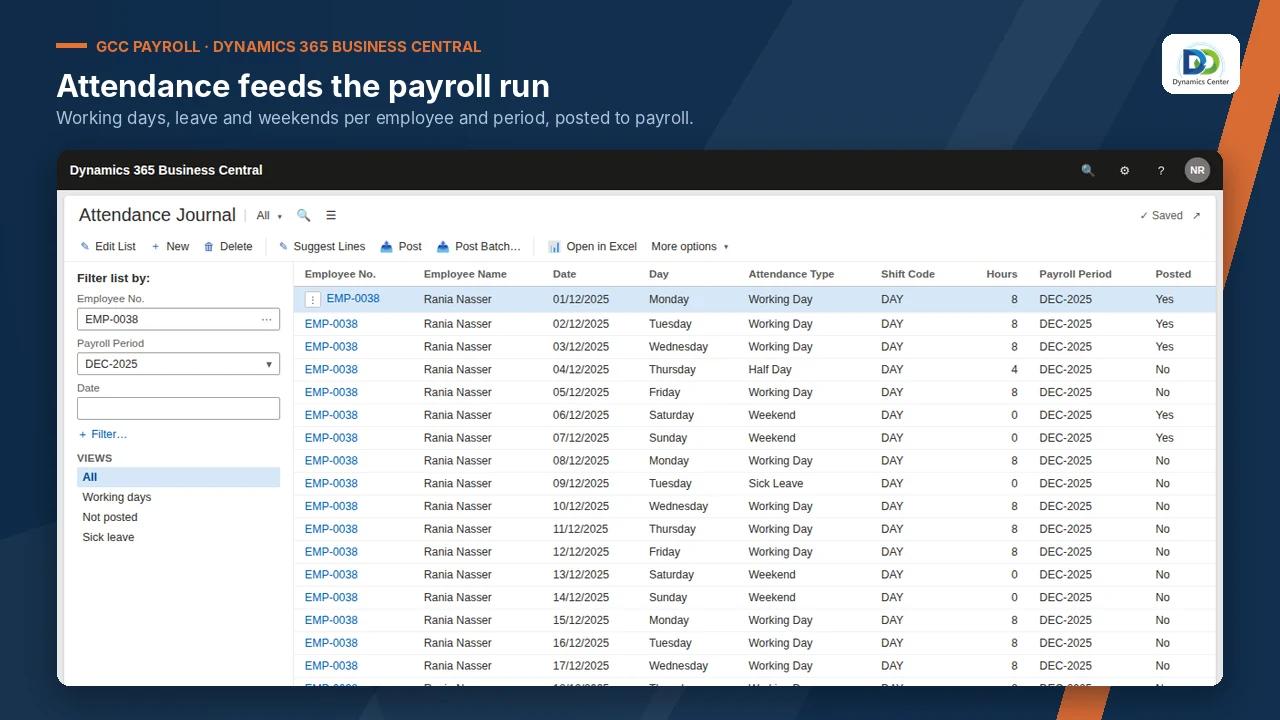
For review and audit.
Salary information file for the bank.
More than one payroll run.
FEATURES
Experience the GCC Payroll Difference
No spreadsheets
Payroll runs where your accounts are.
Before: Payroll on spreadsheets beside the accounts.
End of service handled
Accruals and provisions worked out for you.
Before: End of service worked out by hand.
Bank-ready
The salary file comes from the same run.
Before: Salary file prepared separately.
Several countries
Each country's rules on one platform.
Before: A separate payroll per country.
Audit trail
Every run recorded.
Before: No record of who changed a run.
One system
No separate payroll to reconcile.
Before: Two systems to reconcile.
OUR PROCESS
How It Works
Book a demonstration
Share your payroll components and country rules
Dynamics Center sets up each country with you
Run one parallel month, then go live
Dynamics Center supports you after go-live
The Dynamics Center Advantage
- Payroll components and each country's rules set up with your HR team, not handed over empty
- A parallel month run with you before the first live payroll
- Business Central and payroll supported by the same team
Frequently Asked Questions
Does GCC Payroll work with Dynamics 365 Business Central?
Yes. It runs inside Microsoft Dynamics 365 Business Central online; there is no separate system to install or sync.
How is it licensed?
Licensing is quoted after a short scoping call, based on your companies and users, together with installation, configuration and training.
How long does implementation take?
It depends on the number of companies and the data to load. Dynamics Center gives you a dated plan after the scoping call.
What do we need before we start?
Microsoft Dynamics 365 Business Central online, Essentials or Premium; A Business Central user who can install extensions and assign permission sets; General ledger accounts for salaries, provisions and payroll payable.
What data do we need to prepare?
Employee master with salary structure and bank details; Open loans, leave balances and provisions at cut-over; Departments or dimensions used for payroll posting.
How does it post to the general ledger?
An approved payroll run posts salaries, deductions and provisions to the general ledger. Payslips, registers and the salary information file use the same posted figures.
Can we see it before we buy?
Yes. Book a demonstration and Dynamics Center will show it on data close to yours.
Who supports it?
Dynamics Center, by email and phone, Monday to Friday, 08:00–18:00 Gulf Standard Time.
Which countries are supported?
The listing names the United Arab Emirates, Saudi Arabia, Qatar, Kuwait and Lebanon. Statutory rules are configured for each country during implementation.
See GCC Payroll on your own data
Book a demonstration and we will show you how it works with your companies, your rules and your users, and what it takes to go live.
2405, Clover Bay Tower, Business Bay, Dubai, UAE
Monday to Friday, 08:00–18:00 Gulf Standard Time